Policies/Requirements
We want your custom orders to look amazing and go as smoothly as possible! Here’s everything you need to know before you get started:
To make a T-shirt design, your first need to install specific graphic design software. Once you’ve done that, start your creation and make sure that your final design is at least 220 PPI so it won’t be pixelated when printed…
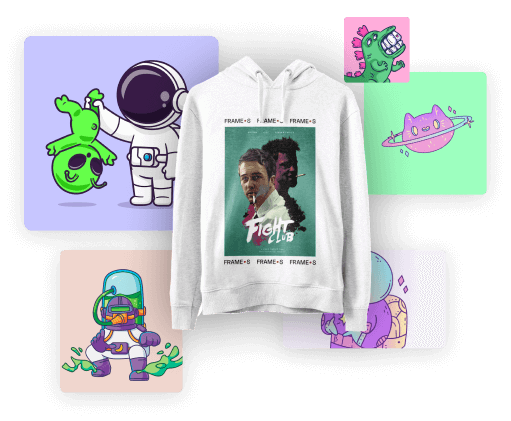
To design your own T-shirt, you can upload your design to the front of your tee and add custom elements like text. For some of our T-shirts, reverse side printing is also available.
To make a T-shirt design, your first need to install specific graphic design software. Once you’ve done that, start your creation and make sure that your final design is at least 220 PPI so it won’t be pixelated when printed…
To design your own T-shirt, you can upload your design to the front of your tee and add custom elements like text. For some of our T-shirts, reverse side printing is also available.
To make a T-shirt design, your first need to install specific graphic design software. Once you’ve done that, start your creation and make sure that your final design is at least 220 PPI so it won’t be pixelated when printed…
To design your own T-shirt, you can upload your design to the front of your tee and add custom elements like text. For some of our T-shirts, reverse side printing is also available.
To make a T-shirt design, your first need to install specific graphic design software. Once you’ve done that, start your creation and make sure that your final design is at least 220 PPI so it won’t be pixelated when printed…
To design your own T-shirt, you can upload your design to the front of your tee and add custom elements like text. For some of our T-shirts, reverse side printing is also available.
Support
Have more questions?
Contact us using the information below and we'll get back to you very soon:
Our Contact Information
Vector artwork (PDF files work best!) keeps your design crisp and ready to print.
Don’t have vector art? No worries — we can help! If your design needs to be recreated, there’s a $60/hour artwork fee, which we’ll include in your quote upfront.
Quick fixes (30 minutes or less) are on the house — our treat!
No artwork at all? Our graphic design team can create it for you — just allow up to 7 business days for art development.
Embroidery fans!
Embroidery requires a special file type called a DST file. We’ll convert your vector art into a stitch file that tells our machines what to sew. Digitizing usually runs $35–$55, depending on how detailed your design is.
Any artwork you submit stays yours.
Any new artwork we create for you belongs to Logos — but you’re welcome to purchase the files if you’d like to keep them for future use!
-All orders are approved by a digital mockup sent by email. Logos is not liable for errors or color discrepancies once approved. Any corrections made after the approval will delay the production and could result in additional expenses.
color changes require additional time and in some situations require us to make additional screens. Therefore, a $10 per color per location printed will be charged for all ink color changes.
Support 24/7
Frequently asked questions
To make a T-shirt design, your first need to install specific graphic design software. Once you’ve done that, start your creation and make sure that your final design is at least 220 PPI so it won’t be pixelated when printed…
To make a T-shirt design, your first need to install specific graphic design software. Once you’ve done that, start your creation and make sure that your final design is at least 220 PPI so it won’t be pixelated when printed…
To make a T-shirt design, your first need to install specific graphic design software. Once you’ve done that, start your creation and make sure that your final design is at least 220 PPI so it won’t be pixelated when printed…
To make a T-shirt design, your first need to install specific graphic design software. Once you’ve done that, start your creation and make sure that your final design is at least 220 PPI so it won’t be pixelated when printed…